

Website maintenance services keep your site secure, fast, backed up and current, so it keeps bringing in customers instead of quietly breaking. A good provider handles updates, backups, uptime monitoring, security and small fixes on a schedule, and a good website management company does that plus content and search work. For small businesses, published guides put professional maintenance at roughly $50 to $500 per month. Our own hosting and site management plans start at $55 per month.
Below, we explain what the work actually involves, who does it, when to hand it off, and what to look for when you compare providers.
Key Takeaways
- Maintenance is a recurring checklist: updates, backups, security checks, uptime monitoring, speed and broken-link fixes.
- Management is wider. It adds content changes, SEO and reporting on top of the upkeep.
- Decide at launch who owns the site afterward. The FTC advises settling this from the beginning.
- Most small businesses do best with one local team that handles hosting, updates and fixes together.
- Our Hosting & Site Management plans start at $55 per month.
Table of Contents
- What website maintenance services include
- Website maintenance vs. website management
- Who maintains a website, and what you can do yourself
- When you need a maintenance or management company
- What website maintenance costs
- How to choose a website management company
- Where maintenance meets SEO and local visibility
- Our perspective
- Let us look after your site
- FAQ
- Sources
What website maintenance services include
A maintenance plan is best understood as a routine checklist. One guide describes it as daily, weekly, monthly and quarterly tasks designed to keep a site secure, fast and working correctly. The same guide groups the work into four buckets: security (updates and scans), performance (speed and caching), health (backups and broken-link checks) and content (audits and updates).
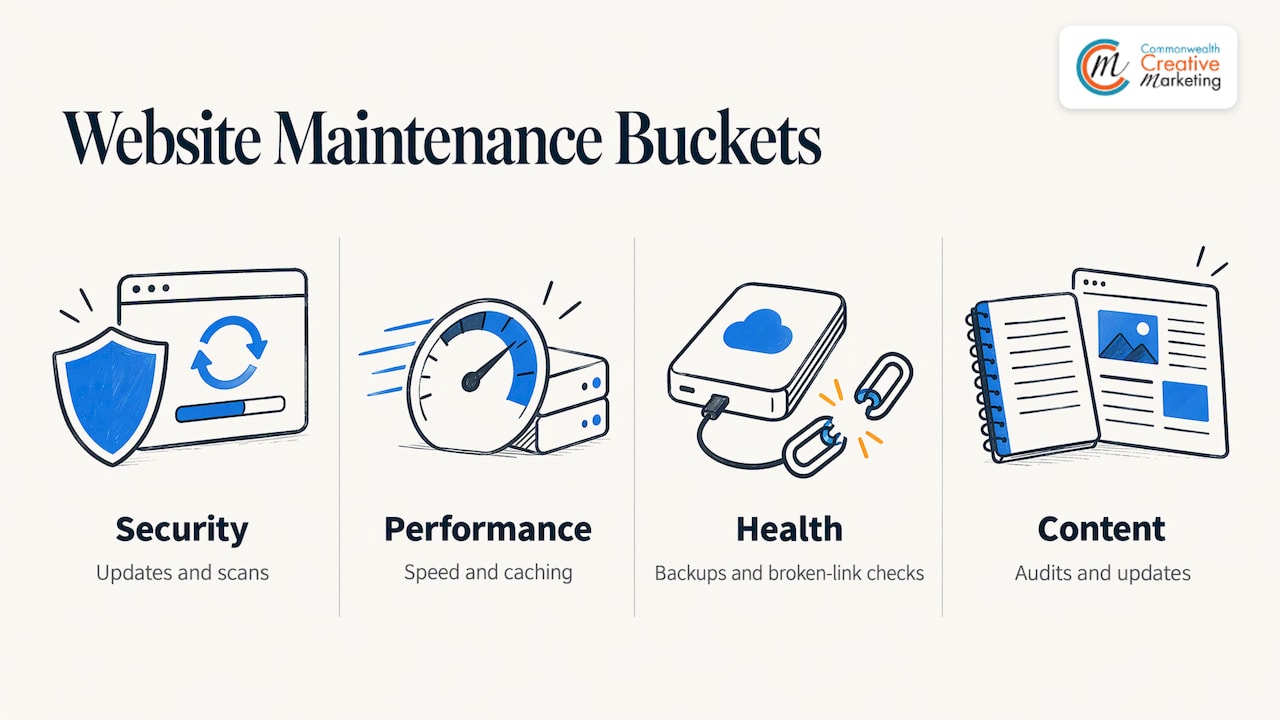
In plain terms, here is what you should expect a provider to cover.
Software updates
Your site runs on software: a content management system, themes, plugins and the server underneath. The FTC advises setting a schedule for software, program, app and browser updates, and turning on automatic updates where you can. On a WordPress site, plugin updates are the most frequent task. Done carelessly, an update can break a layout or a contact form, so the work includes checking the site afterward, not just clicking “update.”
Backups
Backups are your way back from a bad update, a hacked page or a server failure. The FTC tells businesses to regularly back up important files. One widely read guide recommends complete backups at least weekly, moving to daily or real-time incremental backups for busy sites with lots of user activity. A brochure site that changes twice a year and an online store taking orders all day need different schedules.
Uptime monitoring
Downtime means visitors cannot reach you. The same guide suggests checking uptime at least every five minutes. Nobody does that by hand, which is why monitoring is one of the first things a maintenance service automates.
Security checks
Security work covers scans, patching, strong access controls and removing accounts nobody uses. It is mostly boring, and that is the point: the best outcome is that nothing happens.
Speed, links and small fixes
Slow pages, broken links, expired certificates, a form that stopped sending email: these are the everyday problems that cost leads. Another provider guide says a maintenance plan should also cover user experience, content and SEO alongside security, updates, backups and performance. That is where maintenance starts to blend into management.
Website maintenance vs. website management
People use the two terms interchangeably, and providers do too. The useful distinction is scope.
| Website maintenance | Website management | |
|---|---|---|
| Main goal | Keep the site safe and working | Keep the site working and growing |
| Typical tasks | Updates, backups, security, uptime, fixes | Everything in maintenance, plus content edits, SEO, reporting, hosting coordination |
| Who it suits | Owners who handle their own content | Owners who want one team accountable for the whole site |
| Pricing pattern | Monthly plan, often by site size | Monthly plan, often bundled with hosting |
If you update your own prices and photos and only want the technical side covered, maintenance is enough. If you would rather send an email and have it done, management is the better fit. Our hosting and site management service is built for the second group, with hosting and ongoing care in one place.
Who maintains a website, and what you can do yourself
Someone always maintains your site, even if it is nobody. The FTC advises clarifying from the beginning who will manage the website after it is built, and notes that changes may have to go through the web host if the host manages the site. That single question prevents many of the stuck-site stories we hear: the designer moved on, the host holds the logins, and nobody can change a phone number.
The person who does this work is usually called a webmaster, a website manager or a maintenance provider. For a small business the realistic options are:
- You. Fine for content edits like hours, photos and a new service page. Turning on automatic updates is a sensible starting point.
- An employee or a friend who knows the platform. It works until they are busy or leave. Write down the logins and hosting details so the knowledge does not live in one head.
- The agency that built the site. Convenient, because they know the code and design.
- A dedicated maintenance or management company. Best when the site produces revenue and downtime costs you real money.
A practical split: you own the words and photos, a professional owns the updates, backups, security and hosting.
When you need a maintenance or management company
Hand it off when any of these is true:
- Your site brings in calls, bookings or orders, and a day offline would hurt.
- You take payments, collect customer details or run an online store.
- You have not logged in to the admin area in months, and updates are piling up.
- A past update broke something and you stopped touching the site out of fear.
- You do not know where your hosting, domain and email are managed, or who holds the passwords.
- Your site is slow on phones, and you are not sure why.
The cost of waiting is rarely dramatic at first. It builds as outdated plugins, stale information and slow pages quietly push visitors toward competitors. Our write-up on the benefits of professional website management goes deeper on why plugin updates in particular deserve care.
What website maintenance costs
Prices vary with site size, platform and how much hands-on time is included. Published guides give a few reference points:
- $50 to $500 per month is the range most small businesses pay for professional maintenance, with do-it-yourself nearly free and enterprise plans running to several thousand dollars monthly.
- For a traditional WordPress site with hosting, SSL, plugin licenses, security monitoring, backups and developer time all counted, one estimate lands at $3,000 to $8,000 a year.
What moves the price:
- Size and complexity. A five-page service site is simpler than a store with hundreds of products.
- Plugins and integrations. Every add-on is something to update and test.
- Backup frequency. Daily or real-time backups cost more than weekly.
- Support included. Some plans cover a set number of edits each month, others bill hourly.
- Hosting. Bundled hosting simplifies billing and responsibility.
Our published pricing: Hosting & Site Management starts at $55 per month. A new site through our web design service runs $1,800 to $4,800 as a one-time project. If you want your business to show up in maps and local listings, our Local Search Marketing plan is $79 per month.
How to choose a website management company
Use this checklist when you compare providers, whether you are talking to us or anyone else.
- Scope in writing. Ask exactly which tasks are covered: updates, backups, security scans, uptime monitoring, content edits, and how many requests per month.
- Who holds the keys. You should own your domain, hosting account and admin logins, or at least know where they live. This ties back to the FTC’s advice to settle site ownership early.
- Backup schedule. Match it to how often your site changes. Weekly is a common baseline, and busier sites need more.
- Response time. Find out how quickly a request is acknowledged and how emergencies are handled.
- Platform fit. Your provider should be comfortable with your CMS, whether that is WordPress or something else.
- Reporting. A short monthly note on what was updated and fixed keeps everyone honest.
- Contract terms. Month-to-month flexibility, clear cancellation and no surprise fees.
- Local knowledge. For a business that serves a specific area, a provider who understands the local market can connect the site to local search, listings and reviews.
Where maintenance meets SEO and local visibility
A site that is secure and quick is a better base for search. Slow pages, broken links and outdated content work against you, and these are the same items a maintenance plan fixes. Our SEO services build on that foundation, and onsite optimization tunes the pages themselves. For businesses that depend on nearby customers, our local SEO work in Virginia Beach connects the site to maps and listings.
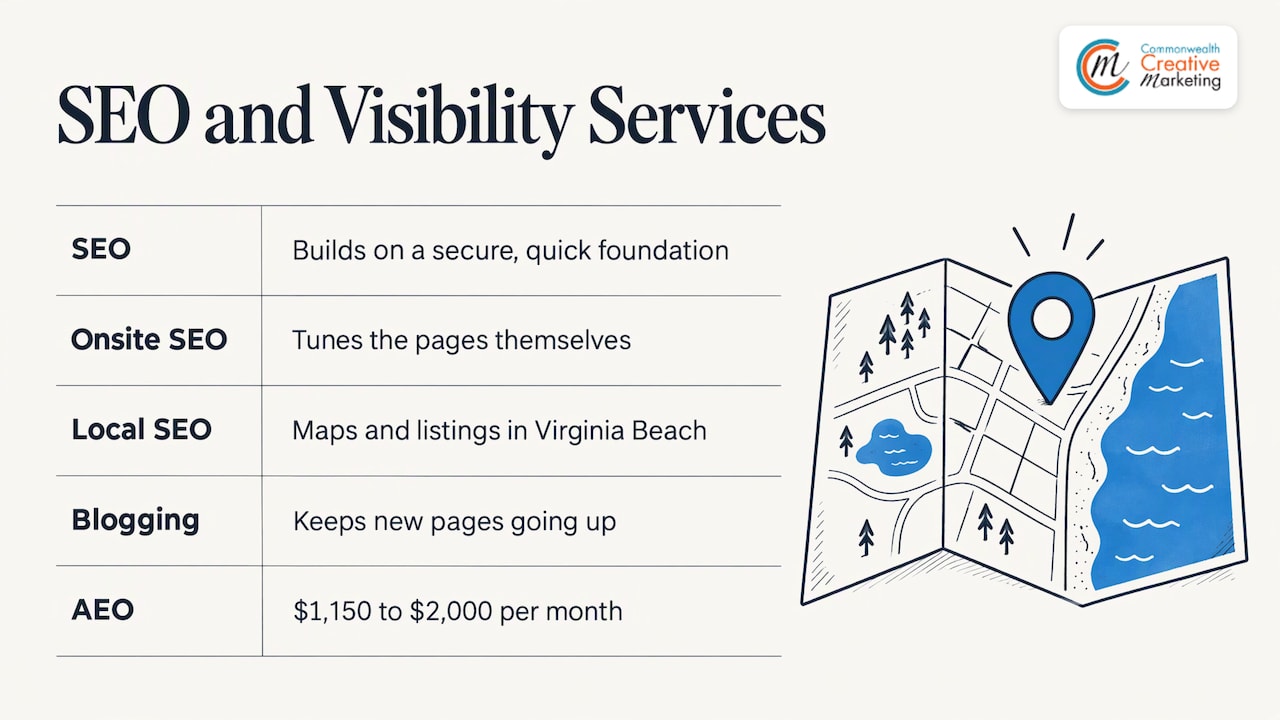
If fresh content is the gap, our blogging service keeps new pages going up without eating your week. And if you are thinking about how AI answers find your business, we also offer AEO at $1,150 to $2,000 per month.
Our perspective
We work only with small, locally owned businesses in Virginia Beach, and the pattern is consistent: a website is built with care, then left alone. Plugins age, the logins scatter, and the owner is afraid to touch anything.
That is why we pair design with hosting and site management instead of treating them as separate purchases. When the team that built your site also keeps it running, nobody has to rediscover how it works. Updates are done properly, changes get made quickly, and you talk to a person who knows your business.
We also think small businesses should not need an enterprise budget to get this level of care. Our plans are tailored to individual needs and priced for small-business budgets, and our focus is timely communication and straightforward answers.
Pick a provider who treats your site like part of your marketing, because that is what it is.
Marc
Let us look after your site
If you would rather run your business than your website, our team handles hosting, updates and ongoing management for Virginia Beach small businesses, starting at $55 per month. We can also redesign or rebuild a site that has outlived its usefulness.

See the details on our Hosting & Site Management page, or start from ccm-web.com and tell us what your site needs. If you are weighing a move from a large national host, read why local owners are switching to local hosting.
FAQ
What is included in website maintenance services?
Typically software and plugin updates, backups, security monitoring, uptime checks, speed work, broken-link fixes and small content changes. Exact scope differs by provider, so confirm the task list and monthly edit allowance before you sign. Our hosting and site management plans start at $55 per month.
What is website management?
Website management covers the technical upkeep of maintenance plus the day-to-day running of the site: content updates, hosting coordination, SEO and reporting. It suits owners who want one accountable team instead of juggling a host, a developer and a marketer.
How much does website maintenance cost per year?
Published guides put typical small-business plans at $50 to $500 per month, depending on site size and support level. Our Hosting & Site Management starts at $55 per month, and we scope plans to the individual site.
Can I maintain my own business website?
Yes, for content edits and basic habits like turning on automatic updates, as the FTC suggests. Many owners hand off updates, backups, security and hosting to a professional so they can spend their time on customers.
Who should manage my website after it is built?
Decide before launch. The FTC advises clarifying this from the start, because changes may need to go through the web host if it manages the site. Keeping design, hosting and management with one local team keeps responsibility simple.
Sources
- Cybersecurity for Small Business, Federal Trade Commission
- What Is a Website Maintenance Plan? (And How to Create One), Elementor
- What Is Website Maintenance? 11 Tasks to Keep Your Site in Shape, HubSpot
- What is a website maintenance plan? Key elements explained, Hostinger
- Website Maintenance Cost for Small Business, vaza.ai